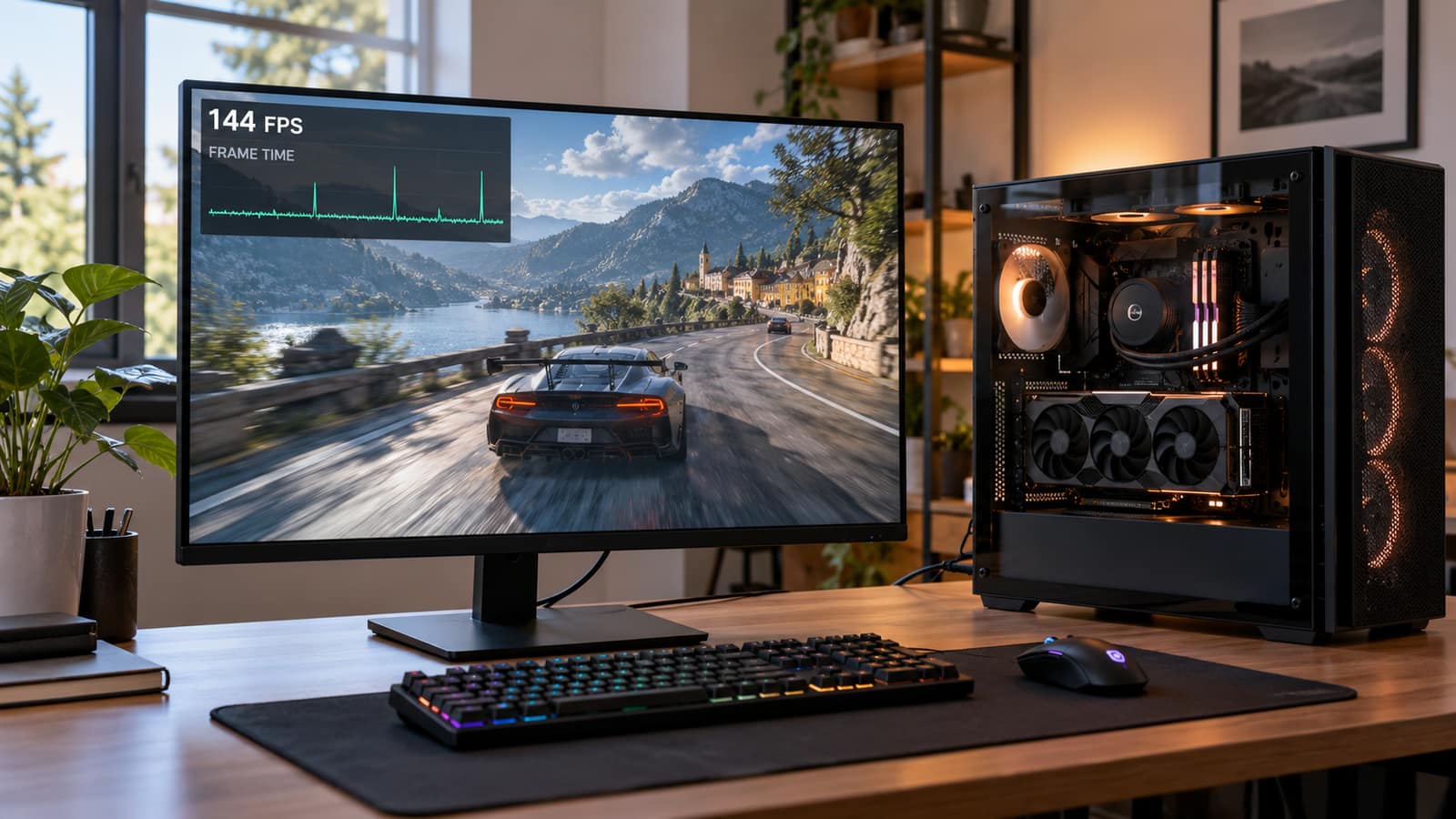


Custom gaming PC or prebuilt? An even handed comparison of price, part quality, upgrade paths, and support in 2026, from a Nashville shop that builds custom rigs every week.
We build custom gaming PCs every week, so you might reasonably expect a one sided answer. You are not going to get one. Prebuilts genuinely make sense for some buyers in 2026, and there are budgets where a mass market box beats anything we could assemble for the same money. There are also budgets where it is not close. This is the comparison we give across the counter, including the parts of the prebuilt world that never make it onto a spec sheet.
It is worth saying up front that the answer has changed recently. For most of the last decade, building your own machine saved real money at almost every price point and the advice was close to automatic. Then memory prices went sideways. Data center demand ate the supply, DDR5 kits that sold for a little over $100 in early 2025 have spent stretches of 2026 well north of $300 at retail, and the large manufacturers buy on contracts signed months ahead while you and I pay whatever today's price happens to be. That one fact has narrowed the gap at the lower budgets and in a few cases reversed it. Anyone repeating the old rule without pricing the actual parts today is giving you 2023 advice.
There Are Three Options, Not Two
Almost every article on this question sets up a fight between a big brand box and a pile of parts on your kitchen table. That framing leaves out the option that suits most of the people who walk into our shop.
The Mass Market Prebuilt
Built in volume by a large manufacturer or a big box retailer, sold as a single product with one warranty, one support number and one price. The two headline parts are named on the listing. Everything else is chosen by a purchasing department whose job is to hit a price, and their decisions are the whole subject of the middle of this page.
The Machine You Build Yourself
You choose every part, buy them separately, and spend an evening or two assembling and troubleshooting. You own the outcome in both directions. Every component keeps its own manufacturer warranty, the parts list is exactly what you decided it would be, and when the machine refuses to post at eleven at night, you are the support department.
The Build A Local Shop Does For You
You pick the parts alongside somebody who assembles these machines every week, they source everything, build it, cable it, update the BIOS, install a clean copy of Windows, run the stress testing, and hand you a working computer with a person attached to it. It costs more than doing it yourself and usually less than a comparable big brand system once the hidden parts are matched like for like. This is the option the buying guides skip, and it fits the largest share of the people we talk to.
What The Money Actually Buys In 2026
Component prices move week to week, so treat the table below as typical retail at the time of writing rather than a quote from anybody. What matters is not the exact figure but the shape of it. At the bottom of the market the prebuilt is genuinely competitive, in the middle the difference disappears into parts you cannot see, and at the top the custom pulls away and stays away.
| Budget | Typical big brand prebuilt | The same money spent on parts | Where the difference goes |
|---|---|---|---|
| $800 to $900 | Previous generation 8GB card, 16GB in one stick, unbranded 500W supply | Similar card, 16GB in two sticks, a named 550W unit | Close to a tie, and the prebuilt often wins on card pricing |
| $1,100 to $1,300 | Current entry level card, 16GB, DRAM-less NVMe drive | Same card, 32GB, a quality drive and a real power supply | Memory, storage and power delivery |
| $1,600 to $1,900 | Mid range card, all in one cooler, mixed everything else | One card tier higher, or the same card with far better everything else | Your choice of raw frame rate or component quality |
| $2,200 to $2,600 | High end card, respectable board, still an unnamed supply | High end card, board with proper VRM cooling, 850W unit, quiet cooling | Thermals, noise and upgrade headroom |
| $3,000 and up | Flagship card, proprietary case and layout common at this tier | Flagship card with nothing compromised anywhere in the machine | The custom wins clearly and the gap is not subtle |
Typical retail ranges observed at the time of writing, not GeekzUP prices. Memory in particular has moved sharply through 2026, so price the exact parts on the day you buy.
Two things fall out of that table. The old rule of thumb, build it yourself and save twenty percent, is no longer reliable at the bottom of the market, because a manufacturer buying memory on a contract signed last year can undercut you. And the saving in the middle of the market rarely appears as a lower price at all. It appears as better parts for the same price, which is a harder thing to sell and a much better thing to own three years later.
Where Prebuilts Genuinely Win
These are real advantages, not consolation prizes, and we say so at the counter when they apply.
- Time. A prebuilt is a purchase and a custom machine is a project. If it is Thursday and you want to be playing on Saturday, that is a legitimate reason on its own.
- One warranty and one phone number. When a self built machine misbehaves, somebody has to work out which part is at fault. With a prebuilt that is the manufacturer's problem.
- Graphics card pricing. Large builders get allocation that retail buyers do not, and when a card is scarce a whole system sometimes costs less than the card alone.
- Genuine bundle deals. Seasonal pricing on mid range systems is occasionally below the sum of the parts, and when that happens it is real.
- No decisions. For a lot of buyers the choice paralysis is the actual obstacle, and removing it has value even if it never shows up in a benchmark.
The Parts Prebuilt Makers Quietly Cut
The listing shouts the processor and the graphics card and then goes very quiet. That silence is the budget. Every component below is one we have replaced in a prebuilt that was under three years old, and not one of them was described properly on the box.
The Power Supply
This is the most common cut, because almost nobody reads that line. An unnamed 500W unit with no efficiency rating, no cable management and thin protection circuitry works perfectly on the day it ships and then quietly becomes the ceiling on everything you do afterward. It caps the graphics card you can move to, it is the part most likely to drop the system in the middle of a match, and when a cheap supply fails badly it can take the motherboard and the drive out with it. A quality 750W unit runs somewhere around $90 to $130 at retail. A manufacturer saving fifty of those dollars across ten thousand machines is the entire reason the cut exists.
The Motherboard
Boards in volume prebuilts are usually the cheapest one the chipset allows: bare voltage regulation with no heatsinks, a single M.2 slot, a BIOS with the memory profile options stripped out, and in the worst cases a proprietary layout with a non standard front panel header and a power connector no retail supply matches. The regulation matters more than buyers expect. A modern processor under a sustained load pulls its own clocks back when the board cannot feed it cleanly, so you paid for a full processor and received most of one.
Memory And Storage
Sixteen gigabytes in one stick is the classic. It works, and it also halves your memory bandwidth, which costs real frame rates for the price of a second module. Storage is the other quiet one. A fast sounding NVMe drive with no DRAM cache reads beautifully in a benchmark and then crawls when the drive is three quarters full and you are installing a hundred gigabyte game on top of it. If you are weighing up drives at all, the difference between drive classes is worth understanding before you spend anything.
Cooling And The Case
A solid glass front panel photographs well and starves the machine of air. Put a stock cooler on a processor that already ships close to its thermal limit, give it one exhaust fan, and let the graphics card dump its heat into a sealed box, and the system runs flawlessly in a cool room in March. In July, in a Tennessee bedroom, it throttles. Thermal throttling is one of the most common reasons a gaming system arrives here with an owner convinced it is broken, and very often it is not broken at all, it is suffocating.
The Mistake People Make
Comparing two machines on the processor and the graphics card alone. Those two lines read identically and the systems are hundreds of dollars apart, so the cheaper one looks like a bargain. It is not a bargain, it is a different machine. The two checks that separate them take about ninety seconds. Search the exact power supply model and see whether the manufacturer will even name it, then confirm the memory is two sticks running at the advertised speed rather than one. If the listing refuses to tell you either answer, that is the answer.
Where A Custom Build Wins
Every Part Is Chosen On Merit
The supply is a named unit with headroom, the memory runs at its rated speed in the right configuration, the board can take next year's upgrade, and the case moves air. Nothing is hidden, because you read every line of the parts list before anything is ordered.
Your Money Goes Where Your Games Are
High refresh esports wants processor and fast memory. Single player at 4K wants the biggest card you can afford and cares very little about the rest. Streaming wants cores and capture headroom. A custom build weights the spend toward what you genuinely do rather than toward whichever two numbers look best on a shelf tag.
Warranty And Support Are Not The Same Thing
A prebuilt warranty is genuinely valuable and it is also narrower than most buyers assume. It typically runs a year on parts and labor, it usually means shipping the whole machine away and waiting, and it frequently ends the moment you open the case and install something yourself. That last clause is worth reading before you upgrade anything in year one, because a memory stick fitted in month eight can quietly end your coverage in month nine.
A custom machine has no single warranty. Instead every part carries its own, and those are usually longer: three to five years on a good power supply, five years or better on memory, three to five on a decent board, five on most quality drives. Added up you are generally better covered on the parts and worse covered on the labor. That is the real trade, and it is exactly why the third option exists. When a shop builds the machine, you keep the long component warranties and you also keep somebody local who will diagnose it when something goes wrong, which is the part that is genuinely hard to buy.
One more thing worth knowing: failures are not evenly distributed across a computer. Power supplies, fans and storage fail. Processors almost never do. Buying a machine where the parts most likely to fail are precisely the parts that were cut to hit a price is a specific and expensive kind of false economy.
The Upgrade Path, Or Why Year Three Matters
This is where the two roads separate for good. A machine assembled from standard parts is a machine you get to keep. Three years in, the graphics card comes out and a faster one goes in, the memory doubles, a second drive fills the empty slot, and the same box carries you another three years for the price of one component. That is the quiet argument for a custom build and it is worth more than any launch day benchmark.
A machine built down to a price often cannot do any of that. The supply has no headroom for a larger card, the case has no clearance for one, the board accepts one memory type at one speed, and in the worst cases the board is a proprietary shape that no standard case will take and no retail supply will power. At that point the upgrade is not an upgrade, it is a new computer with your old drive transplanted into it. We say this plainly when somebody brings one in, because spending two hundred dollars on a card the rest of the machine cannot support is worse than spending nothing at all.
What Actually Arrives On Our Bench
None of this is theory. The gaming systems that come through the shop follow a remarkably consistent pattern.
- Prebuilts from two summers ago that shut down mid match. Almost always the power supply, occasionally dust and thermals on top of it.
- Machines that were quick at Christmas and slow by spring: a drive nearly full, thermal paste applied thinly, or a fan that has simply stopped turning.
- Owners who bought a graphics card online and found it does not fit the case, or the supply will not run it, or both.
- Boards with swollen capacitors or scorching around the processor socket, on systems run hard for years on cooling that was never adequate.
- Perfectly healthy computers that were never broken at all, just choked on airflow and buried under preinstalled software.
Only one of those is a genuine manufacturing defect. Most gaming PC repair work is the downstream consequence of a decision made at the point of purchase, which is the whole reason this page runs as long as it does. If your current machine is doing any of the above, it is worth having it looked at before you replace it, because the fix is frequently a fraction of the cost of a new system.
When We Tell People Not To Build
There are three situations where we will talk somebody out of a custom machine, and two of them cost us the sale.
- 1The budget is under about seven hundred dollars. At that level every dollar has to go into the graphics card, there is nothing left over for build quality, and a well timed sale on a prebuilt or a carefully chosen used machine will beat anything we could put together.
- 2The games are esports titles at 1080p. Counter Strike, Valorant, Rocket League and League of Legends run beautifully on modest hardware. Spending two thousand dollars to play them is spending it on frames your monitor and your eyes will never show you.
- 3The current machine is three years old and only one part is actually holding it back. Adding memory, moving the game library to a faster drive, or replacing a tired supply and cleaning out the cooling will often buy two more years for a fifth of the price of a new build.
That third one is the right answer far more often than people expect. Before committing to a whole system, it is worth knowing what a repair or an upgrade would actually cost, and our pricing is published rather than produced at the counter.
The Honest Decision Guide
| Your situation | What we would tell you to do |
|---|---|
| You want a machine this week and no decisions | Prebuilt from a reputable brand, after the two checks above |
| Your total budget is under about $700 | Prebuilt on sale, or a good used system |
| You want the most frames per dollar at $1,500 and up | Custom |
| You intend to keep and upgrade the machine for years | Custom |
| You care about noise, temperatures and stability under load | Custom |
| You found a real card bundle deal that beats the parts | Prebuilt, and check the supply and memory before you order |
| You want a person to call when something breaks | Custom from a local builder |
| You already own a decent machine with one weak part | Neither, upgrade the part |
What A GeekzUP Build Involves
Tell us the budget, the games and the look you are after, showcase glass and lighting or a quiet black box that does not announce itself, and we design the parts list with you sitting there. Nothing is hidden because you approve every line of it before anything is ordered. We build with standard parts only, no proprietary boards and no unnamed power supplies, and we size the supply for the card you might want in two years rather than the one going in today. Then assembly, cable management, BIOS and firmware updates, a clean Windows install with none of the preloaded clutter, and a real stress test across processor, graphics and memory together before the machine goes anywhere.
Consultations are free, in person at 110 Sanders Ferry Rd, Suite 11 in Hendersonville or over the phone, and no appointment is needed to come and talk it through. Builds and repairs go out across Nashville and Middle Tennessee, most systems take a few days depending on part availability, and everything is done in-house. Payment terms are published up front: cards carry a 3.5 percent fee, and cash, CashApp, Venmo, Apple Pay and Zelle carry none. If you would rather buy something ready to go today, we stock systems and parts as well, and we will point you at the right one even when it is not the largest sale in the room.
Frequently Asked Questions
Is a custom gaming PC cheaper than a prebuilt in 2026?
Not always, and that is a change from previous years. Below roughly a thousand dollars a large manufacturer buying memory on contract can undercut a parts list, and sometimes does. From about $1,500 upward a custom build wins clearly, usually not as a lower price but as noticeably better parts for the same money.
Why did prebuilts suddenly get more competitive on price?
Memory. Data center demand pushed DDR5 pricing up sharply through 2026, and manufacturers buy on contracts locked in months earlier while retail buyers pay the current rate. That compressed the traditional do it yourself saving, most visibly at the budget end of the market.
What should I check before buying a prebuilt?
The exact power supply model, by name and wattage, and whether the memory is two sticks at the advertised speed or one. If the listing states neither, assume the cheapest answer to both. After that, check for mesh at the front of the case and more than one M.2 slot on the board.
Can you upgrade a prebuilt gaming PC?
Usually yes, and it is a large part of what we do. Graphics cards, memory, storage, cooling and power supplies all go into prebuilts routinely. The exceptions are proprietary boards, cases and power connectors, where replacement makes more sense than fighting the design.
How long does a custom build take at GeekzUP?
Typically a few days to a week depending on part availability. That covers the parts list, ordering, assembly and cabling, BIOS and firmware updates, a clean operating system install, and a full stress test before you collect it. Rush builds are possible when the parts are already in stock.
Do custom built PCs have a warranty?
Every component carries its own manufacturer warranty, which on good parts runs three to five years and beats the single year most prebuilts offer. GeekzUP backs the build itself, and our repair work carries a warranty on parts and labor.
Is building a gaming PC yourself difficult?
The assembly is not hard and a first build takes most people an evening. The hard parts are choosing components that work together, dealing with a machine that will not post, and knowing whether the temperatures you are seeing are normal. If those three do not appeal, that is the gap a local builder fills.
Will a custom PC and a prebuilt with the same specs perform the same?
On day one, in a short benchmark, close to identical. Under a long session in a warm room they diverge, because cooling and power delivery decide whether the parts hold their clocks. Over three years they diverge much further, because one machine can be upgraded and the other cannot.
Should I buy a prebuilt now and upgrade it later?
It can work, but only if you check the upgrade path before you buy rather than after. Confirm the power supply is a standard ATX unit with headroom, the case takes a full length card, and the board is a normal form factor. If all three are true it is a reasonable plan. If any one is false, the machine is what it will always be.
What does a diagnostic cost if I bring my gaming PC in?
Diagnostics are $125 for gaming laptops and desktops and $100 for standard PCs and Macs, and the fee is applied to the repair, so the assessment is not money spent twice. Drop-offs need no appointment, and we confirm the repair timeline after diagnosis.
The short version: below $700 buy a prebuilt, above $1,500 build or have one built, and in between decide whether you want the frames today or the machine that still makes sense in 2029. GeekzUP Repairs has been building and repairing gaming systems at 110 Sanders Ferry Rd, Suite 11 in Hendersonville since 2012. Bring the spec sheet you are considering and we will read it with you, whether or not you buy anything from us.
GeekzUP Team
Veteran-owned computer repair in Hendersonville, TN. Serving Nashville and Middle Tennessee since 2012.